12.3.14

Research Project: Artifact 5

Research Project Question:
What is the relationship between dialogue and body language? 

From Acting for animators, " Remember our sense of sight is a lot more powerful than our sense of hearing."
 
Artifact 5
A full mime without any sound or dialogue.


Q1: What is the story about?
Q2: With only the facial expression and body language, is it already enough for you to understand?
How did the facial expression and body language helped?

Research Project: Artifact 4

Research Project Question:
What is the relationship between dialogue and body language? 

Artifact 4:
-Playing only audio first ( I used Chinese instead of English)
-Then play the actual animation, see if he audience can understand how much of it.

Audio:
Q1: What do you think is happening? How many people are there?

Actual animation:


Q2: What is happening?
Q3: How did the body language helped to understand the story/scene?

Research Project: Artifact 3

Research Project Question:
What is the relationship between dialogue and body language? 

Artifact 3
From the book Acting and performance for animation,  "...it is possible to animate a character with their back to the camera and still have audience understand exactly what he/she is feeling."

Therefore, I animated 3 short clips and try to show them with my tutorial group for feedback.


Q1: Emotion?
Q2: What do you think about animating with characters back to camera? Is it difficult/ easy to understand? Or do you get confuse?


Q1: Emotion?
Q2: What do you think about animating with characters back to camera? Is it difficult/ easy to understand? Or do you get confuse?


Q1: Emotion?
Q2: What do you think about animating with characters back to camera? Is it difficult/ easy to understand? Or do you get confuse?


Research Project: Artifact 2

Research Project Question:
What is the relationship between dialogue and body language?

Ed Hooks: Acting is very little to do with dialogue. The character's thoughts, emotions and intentions are more important. 

 For artifact 1, I animated 2 clips and played without sound.
In artifact 2, there are 2 clips. One without dialogue and one with dialogue.

-To compare two clips, if the gestures too exaggerated?
- Do the audience understand?

Clip 1: without dialogue
Clip 2: with dialogue

 Compare


Feedback:
Q1) What is happening? Do you understand what they are doing?
They bumped into each other, the man is apologetic while the boy is arrogant.
2 men bump into each other. The boy is dominated/rude/assertive. The man is compliant and polite, subdued.
Bumping into each other. Rude child. Adult scared and compliant.
One asked the other to move out of the way.
The kid says "move out the way!" The adult apologies.
People carrying things clash. Kid tells man to get out of the way. Guy says NO.
They bumped into each other. The old guy is apologizing and the boy is arguing and blaming him angrily.

Q2) What is happening? Compared to the first video, do you think the dialogue in the second video helped a lot? Do you think the character gestures in the first video are too exaggerated? Which one do you prefer - with or without dialogue? Why?
Story is the same. I don't think the gesture are too exaggerated. Prefer the 1st one as I feel you get to know the character better.
Prefer the gesture in the first video, because they are a lot sassier and emotive.
Same as first one. Gestures are suitable substitutes for dialogue that not really necessary. Adult gestures a bit too exaggerated. Prefer 1st video, gives more information about character personality.
Same story. Prefer the 2nd one as the movement and the tone of voice seem to show the different personalities of the characters.
The gestures work well enough to eliminate the need for dialogue. However prefer the 2nd one.
Same thing but the guy is apologetic, dialogue helped with the guy, I prefer the 2nd one (laughed more)
Same scenario. The dialogue helped to bring more personality to the characters and explain what was happening in a more natural way. 1st video more exaggerated and unnatural. Prefer the 2nd.


Research Project: Artifact_1

Research Project Question:
What is the relationship between dialogue and body language?

Artifact 1:
- Animated 2 clips
- Experiment whether the audience can understand an animated character by playing without sound.
- What gestures/ body language helped them believe/ understand the scene.

Clip 1:

Q1: What do you think he is doing?
Q2: What's his attitude?
Q3: Why do you think that? What poses/ gestures make you believe that?

Clip 2:


Q1: What do you think he is doing?
Q2: Do you think that he is talking to a girl?
Q3: What poses/ gestures make you believe that?

14.11.13

Client project: week 16 Chrarcter finished blend shapes+rigged+ineractive skin edit


I finished blend shapes+rigged+interactive skin edit finally and started to animate it.

 
At first, I found that it's really weird when I edit blend shape with the mouth. It was really not natural at all. So I kept trying and correcting and get the second result finally.

 Other blend shapes:

 I add a simple eye controller for him too.


I am trying to add the depth of field to it but don't know why it's not working. I will keep experiment it later.

Animated test for 3 sec.
https://vimeo.com/79455932

6.11.13

Client project: week 15 Chrarcter unwrap + paint in mudbox + blend shapes


After done the hair last Thursday, I modeled the hat and his clothes. And start to do the unwrapping in maya.

I'm quite exciting to paint it in mudbox as I really enjoyed it.


I was trying to paint the projection of a feather on the model, but I found out that the result is not that good. Therefore, I created some illustration in photoshop and re-imported in mudbox. 

The final textured of my little Robin Hood.


I also tried to use the light settings in mudbox, the above one is using Gallery mode which I love the most.
I experiment the light settings in mudbox to have different tone on my character.
This is the soft light mode:


For the eyes:
I modeled the eyes in maya and then painted them in mudbox.
I tried to use blue and brown colour and I decided to use the brown one because it is more suitable for my character.
 When I duplicate the eye and fit them into my character, it is finally complete!
I think I will need to figure out how to use the lighting set up in maya soon.
I'm going to do blend shapes and rig it soon..
Here's the result in maya:


I'm currently working on blend shapes..


https://vimeo.com/78879583

31.10.13

Client project: week 14


Modeling in week 12


Modeling in this week
Problem solving: by referencing 'UP' character design, I've changed my character body shape from skinny to fat, more rounder.
This week I was working on the hair and his costume, hope to finish it and done the unwrap soon.

23.10.13

Research project: reading list

Research project title:
Can the use of expressive body language in an animated character replace the need for short pieces of dialogue in an animation?

I'm quite interested in studying the relationship between body language and the dialogue because this will be relevant when i am animating a character.

Here is my reading list:


The Illusion of Life: Disney Animation by Frank Thomas and Ollie Johnston


The Animator's Survival Kit by Richard E. Williams 


Acting for Animators by Ed Hooks
 The Art of WALL.E: Tim Hauser, Andrew Stanton

Lost and Found: The Story of the Film
Lost and Found: the story of the film 

Blogs:
http://nancycurteman.wordpress.com/2011/12/29/dialogue-body-language-communicates-more-than-words/
Body Language Communicates More Than Words

http://andnowpresenting.typepad.com  Body Language Practicum III - Facial Expressions

Journals:
http://journal.animationstudies.org/category/animated-dialogues/


18.10.13

Client project: week 12 - story board + animatic

Here are my story board for my client project. I need to think of my target audience and also what my client (one nottingham) want, therefore I create my little robin hood as a simple and cute design and animate the whole story like an adventure. 
I managed to get my rough animatic done by today!


This week I've been starting to finalise my character design and start to model my character.


Final year CLIENT PROJECT: Nottingham Loves...?

The Client project is actually a competition called Young creative Award which held by ONE NOTTINGHAM. And the theme of this year will be "Nottingham loves..."
I have been studying in Nottingham for 3 years, but I didn't really know what Nottingham loves..
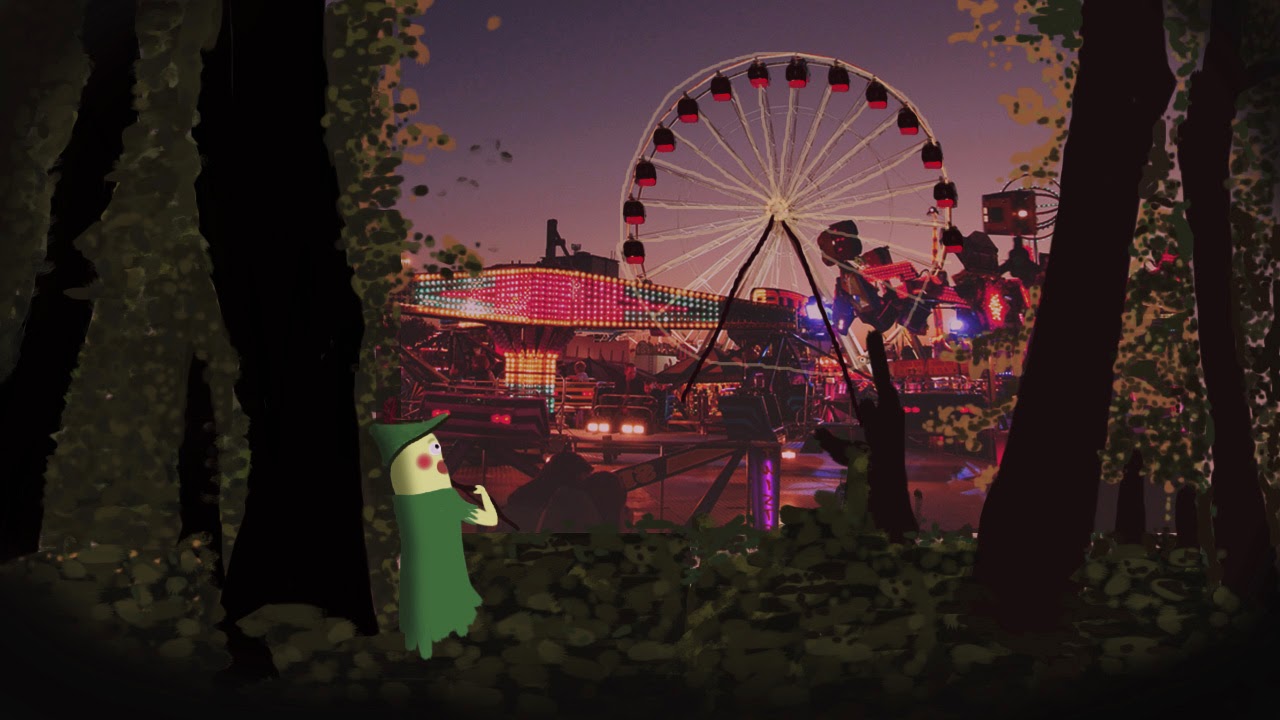
Then I thought of the events in Nottingham and I finally decided my concept will be the Goose Fair.
Besides, I need a character to introduce the Goose Fair to my audience. Therefore I will be using Robin Hood as my character.
My Target audience will be families and teens.
Here are my initial concept character drawings and scences.


5.3.13

Animation Project 2 Evaluation (Paddington Bear)


I was aimed to relaunch a children's TV programme in this project in the style of 'Lost and Found'.
I chose to re-design the character : Paddington Bear.
And the style I chose was the short animation: Lost and Found.
As I really impressed by the hand drawing style in Lost and Found. I tried to apply this style in my environment. After model simple houses in 3ds max, I tried to paint them in Mudbox by using bright colours and using skylight in the scene. I am pretty satisfied with my final result.

Lost and Found pictures


My Environment scene


The sky background was another issue I faced. Although I know that I can create a sky dome in 3ds max to make the sky, I worried about the rendering time as it used mental ray renderer. That was why I  tried to render the animation out in Targa Image file and tried to add my own sky ( drew in photoshop) in After Effect. I am quite satisfied with the combination of the sky and my houses scene.

 
On the other side, after sketching and modelling my character in 3ds max, it was quite difficult to animate the facial expression well. I also received some comments like the character is quite weird and he is quite evil. I guess I need to pay more attention on the face design of my character next time. The other problem I faced was the coat of my bear. As the blue coat was quite long, when my character walks, the coat would not move (because it was extrude from the body). That was quite an annoying problem. 
 
At last, I tried not to show too much of the lower body when I was animating it. I think I will try to use other methods to make the long clothes next time and try to search for more online tutorials next time.

Besides, the eyes of my bear were just black in colour, so it was quite weird if the scene was dark. Therefore, I added two really small omni right beside his eyes in order to make some reflection and to solve the problem.


After handed in my final work, I think there was one thing that I am not happy with which was the walking scene in my animation. I know that I go t some problems in that walking cycle so I guess I will try to redo that scene later.
Also, although it was my first time to use Mudbox in this project, I am quite interested in this software. I will pay more effort on it in my future projects.
To conclude, there were many problems that I faced in different stage (modeling, painting, animating), I have still tried my best to produce this animation out. I am quite satisfied with my painted environment in the style of Lost and Found, I will pay more effort on Mudbox next time. I also had problems in my character facial expression,  therefore I need to pay more attention on my character facial design. 


Final animation
https://vimeo.com/60241846

4.3.13

Paddington bear Progress 4 :Environment

Environment
At first, I wanted to make a village for the environment. But I changed my mind and tried to make a main house for Paddington plus a few houses for the background.

Reference picture for my main house